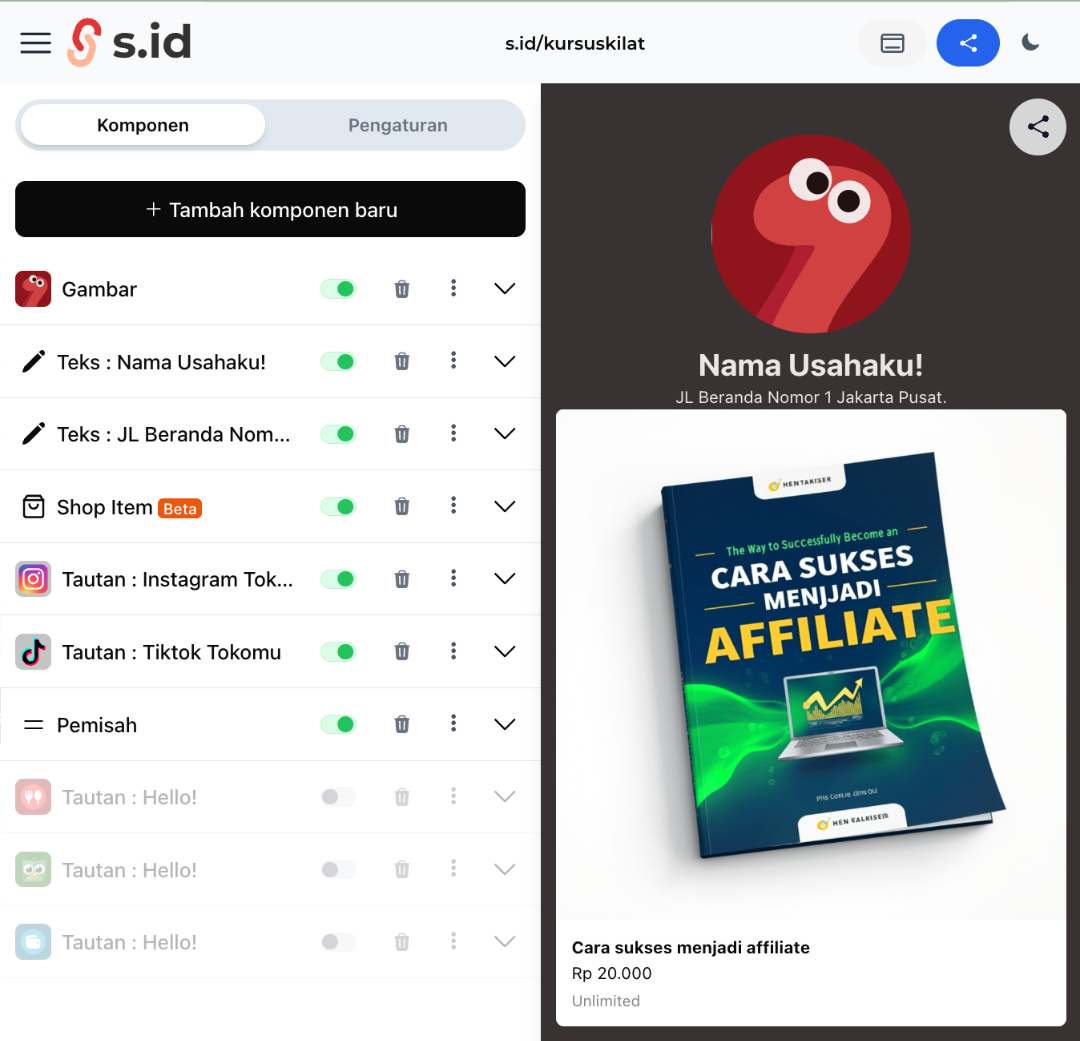
Hi eSaiders! Using the s.id Shop feature is super easy. Here's how to get started:
- Log in to your s.id account.
- Go to the "Shop" menu.
- Click "Open Shop" to start creating your digital shop on s.id
- Please note! Before creating a shop, you must be connected to the notification channel via WhatsApp or Telegram. If not, you can click "Open Settings"
- Choose one (WhatsApp or Telegram) to integrate your shop transaction notifications. After that, click "start number verification"
- Enter your WhatsApp number and click "Next"
- After that, you will get a verification code, please click "open whatsapp" to send the code to the official WhatsApp number s.id
- And you will get a message that your number has been successfully verified
- Then, you can click "shop" on the s.id dashboard and click "create shop" and fill in the complete description such as shop title, shop description, and what type of goods you will sell.
- Click the "Manage Items" button to start adding your digital products.
- Then, click "Add New Item."
- Fill in all the required fields in the Add Item section:
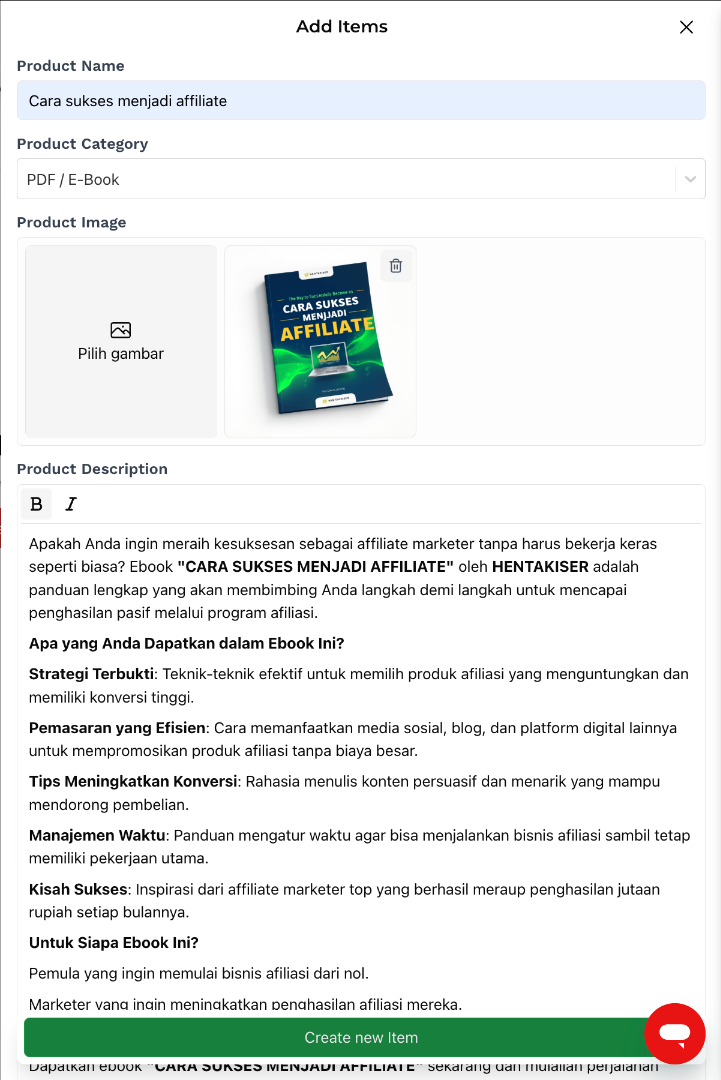
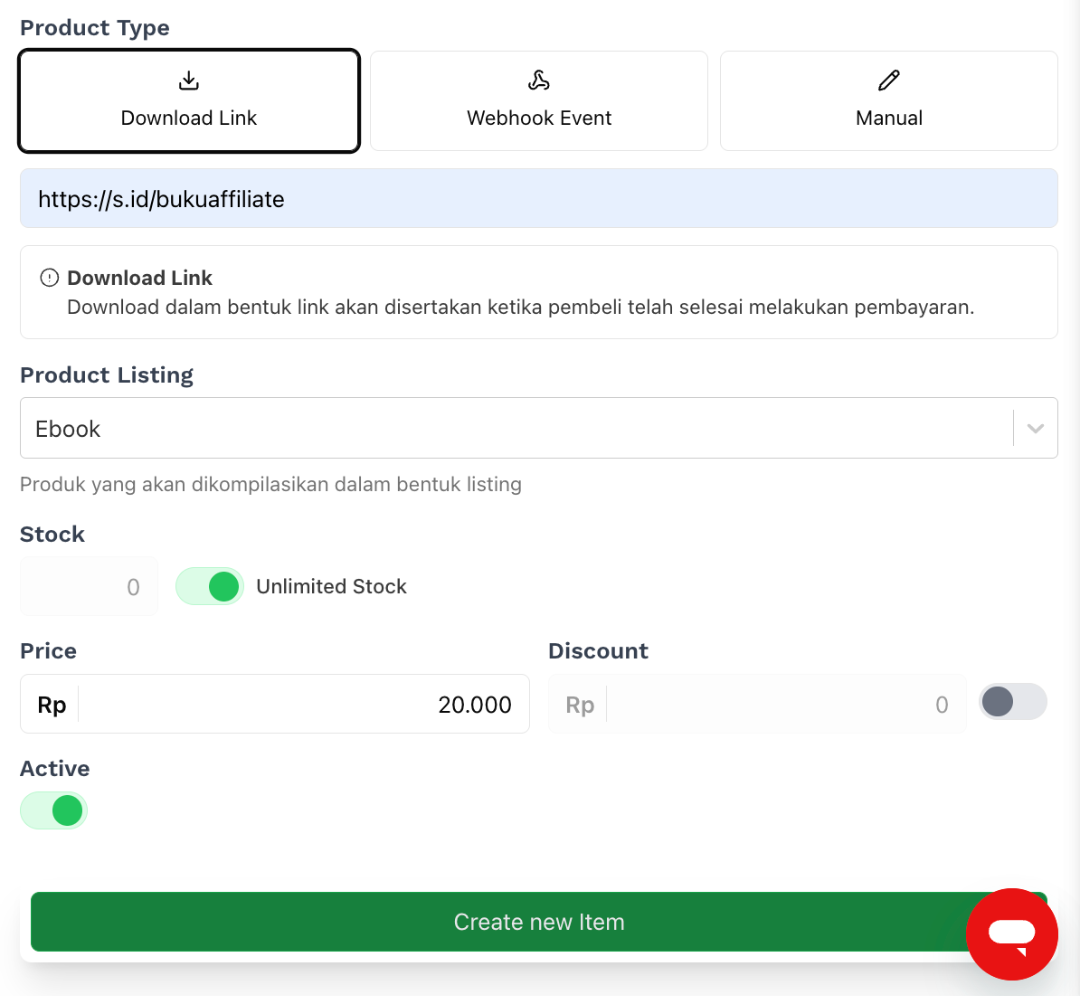
- Once all the information is filled in, click "Create New Item."
🎉 Congratulations! Your product has been successfully added to s.id Shop.
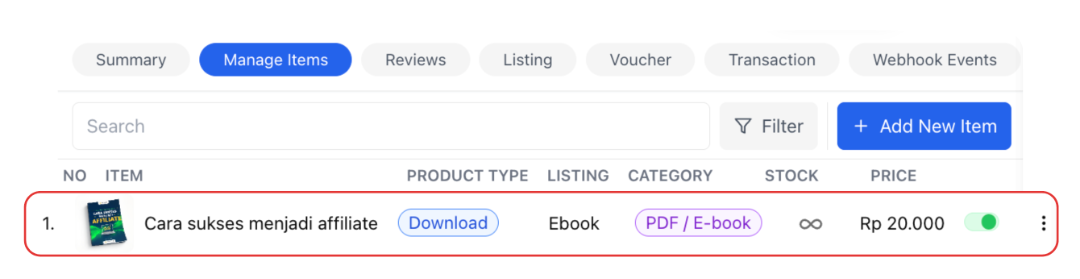
Next step: You can add your digital product to your sales microsite by adding the "Shop Items" component.
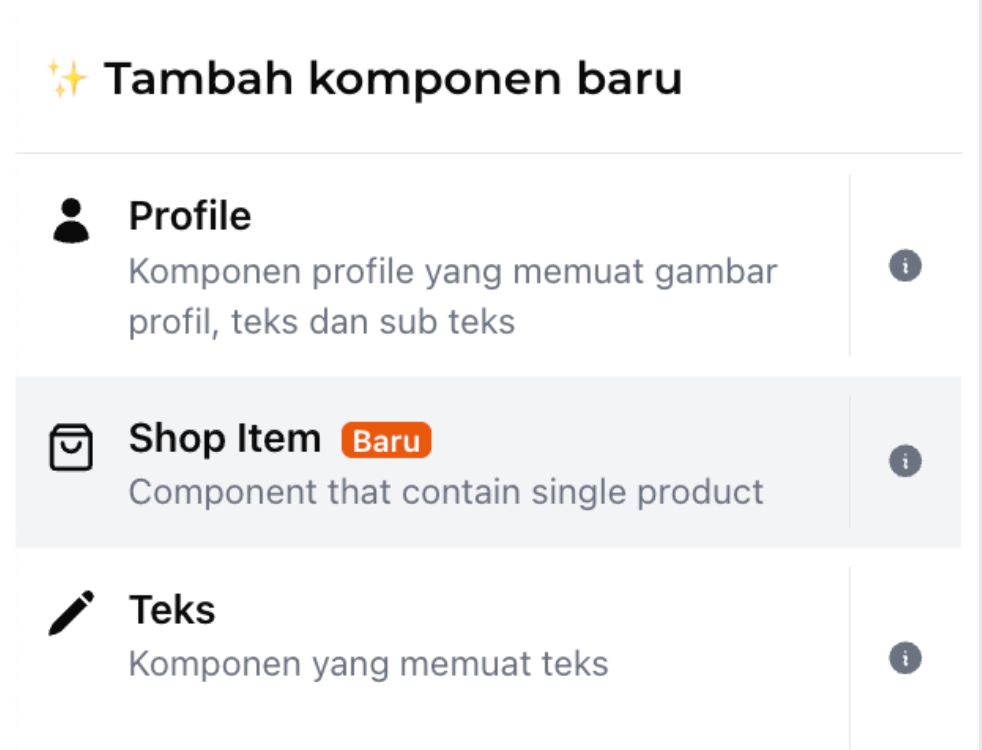
Now your microsite is ready to use for selling! 🚀