
Is your music available on Spotify, YouTube, Apple Music, SoundCloud, TikTok, and other platforms?
The more platforms you use, the harder it can be to share them all with your audience.
Instead of sharing multiple links one by one, you can bring all your music platforms together in a single link.
Just share one link on your Instagram bio, TikTok, WhatsApp, or anywhere else. Your listeners can then choose their preferred platform and start listening to your music.


Why Do Musicians Need One Link?
1. Easier to Share
Instead of sharing:
Spotify: link...
YouTube: link...
Apple Music: link...
SoundCloud: link...
You can simply share one link.
One link. All your music.
2. Make It Easier for Your Listeners
Not every listener uses the same music platform.
By bringing all your platforms together on one page, listeners can choose where they want to listen without having to search for your music themselves.
3. Build a More Professional Presence
A single page featuring your music, social media, and contact information can make your digital presence look cleaner and more professional.
You can also add other important information, such as upcoming shows, merchandise, or contact details.
4. Share It Anywhere
You can use your single link across different platforms:
- Instagram Bio
- TikTok Bio
- YouTube
- X
- Posters or flyers with a QR Code
Create it once and share it everywhere.
How to Put All Your Music Links in One Place with s.id
You can use s.id Microsite to create a dedicated page containing all your music platforms.
Step 1: Log In to s.id
Log in to your s.id account and go to the Microsite menu.
Click Create Microsite to start building your page.
Step 2: Create Your Artist Profile
Add information such as:
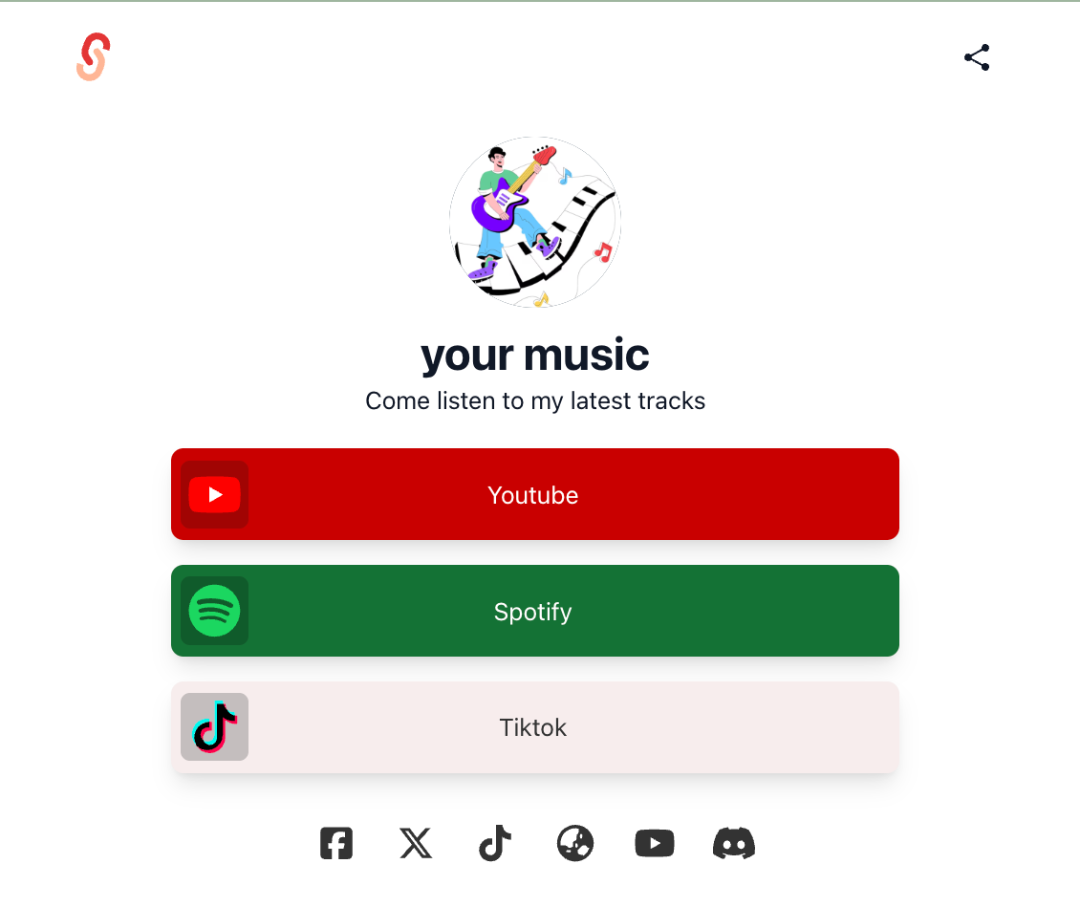
Name: Your Music
Bio: Singer & Songwriter
Profile Photo: Your artist photo or album cover
Customize the look and feel to match your musical identity.
Step 3: Add Your Music Platforms
Add buttons or links to the platforms where your music is available.
For example:
🎵 Listen on Spotify
▶️ Watch on YouTube
🎧 Listen on Apple Music
🎶 Listen on SoundCloud
📱 Follow on TikTok
Make sure each button directs listeners to the right page.
Step 4: Add Other Important Links
Your music isn’t the only thing you can showcase.
You can also add:
- TikTok
- YouTube
- Website
- Merchandise
- Events or upcoming shows
- Contact information
- Press kit
This way, your microsite can become the central hub for your entire digital presence.
Step 5: Share Your One Link
Once your microsite is ready, you’ll have one link to share with your audience.
Add it to your social media bio or share it through WhatsApp, email, posters, and other promotional channels.
You can also create a QR Code from your link and use it on posters, merchandise, or promotional materials.
Don’t Make Your Listeners Search for Your Music
When someone discovers your music, don’t make them search for your Spotify, YouTube, or other platforms one by one.
Make everything easy to find in one place.
With s.id Microsite, you can bring your music, social media, merchandise, contact information, and other important links together on one page.
One link can be the gateway to your entire music world.
👉 Create your microsite with s.id and make it easier for your listeners to discover all your music.