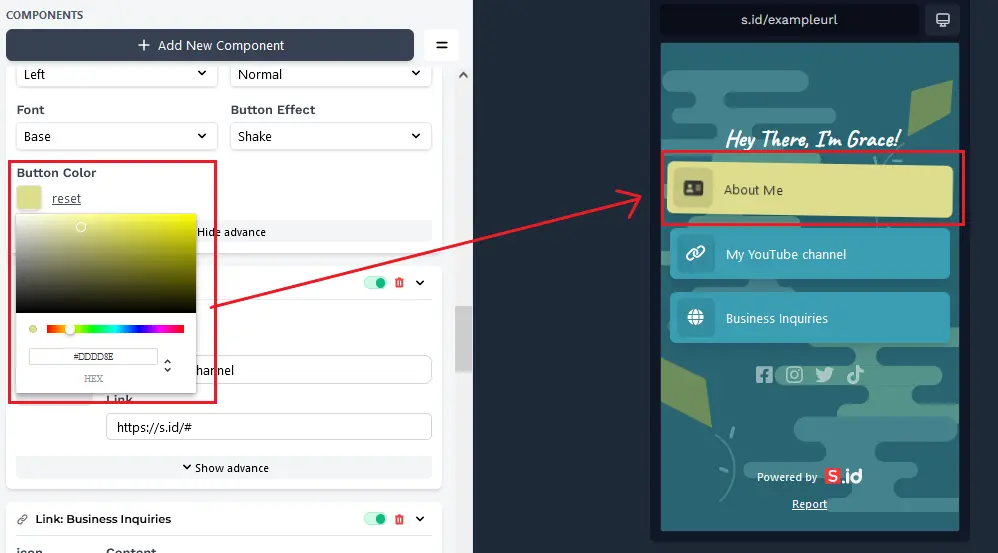
Link components to your microsites.
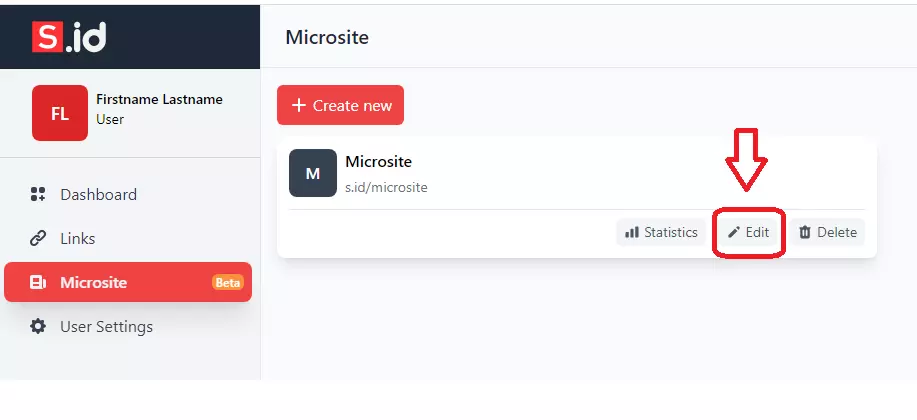
- Go to your **Microsite **click Edit.
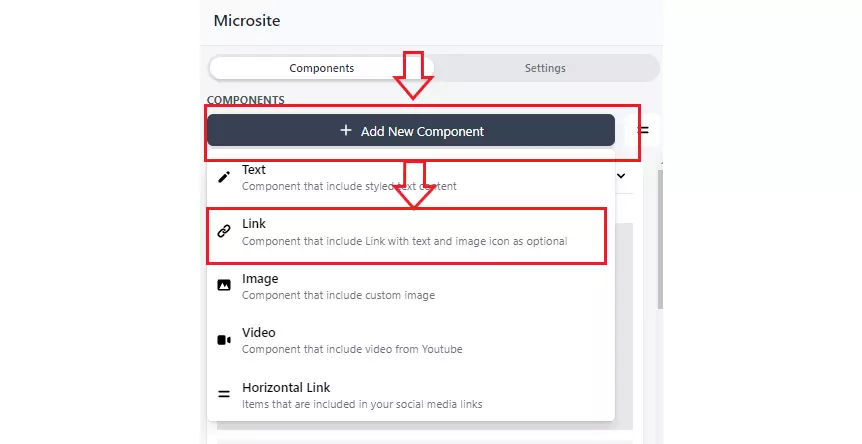
- Click Add New Component, and then click the Link.
- Enter the text you want to display.
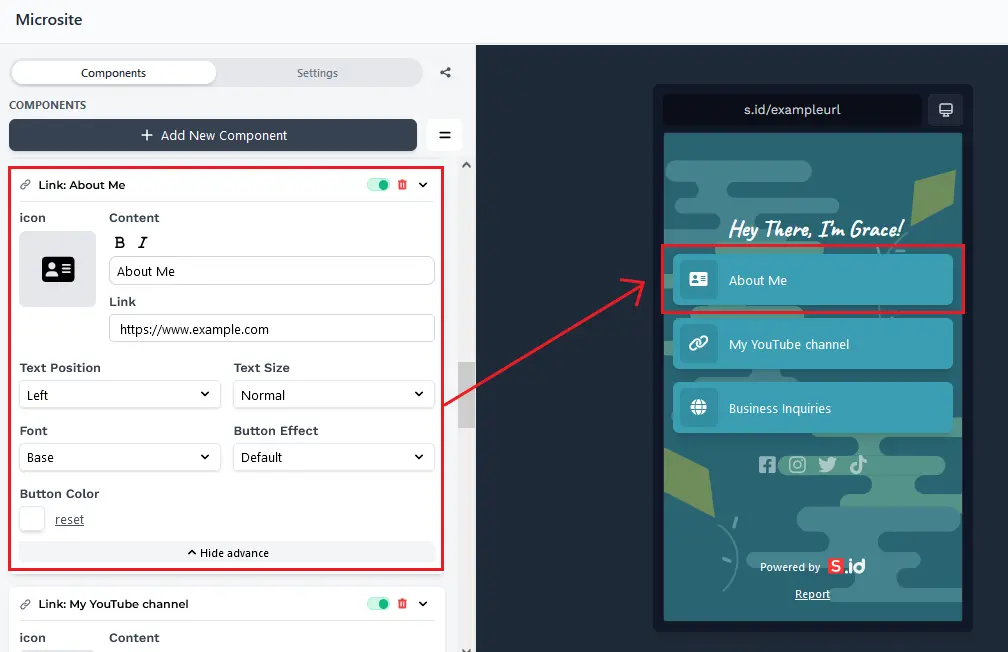
- Content Name and Link
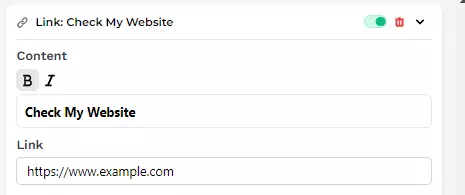
1.** Bold **or **Italic **text.
Select text you want to bold
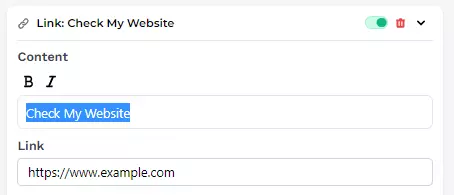
2. Then click **Bold **or Italic.
- Change **Icon **details
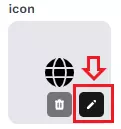
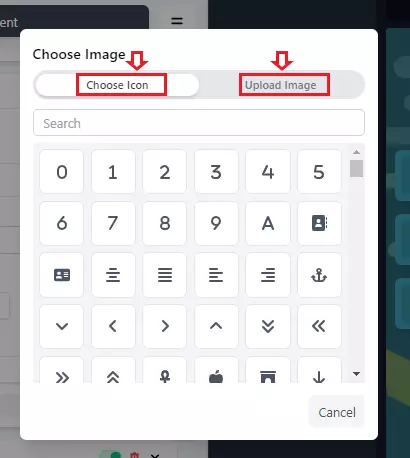
6. Choose an icon or select an image from your computer
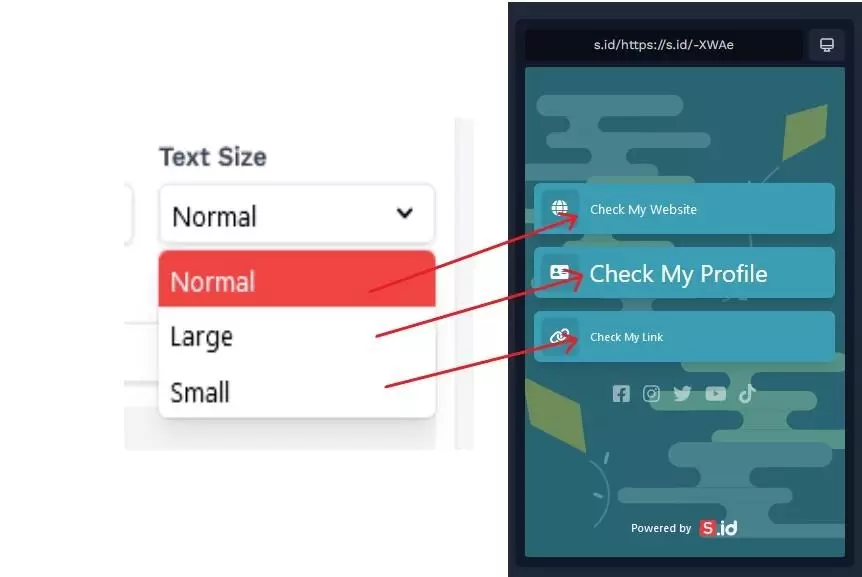
- **Text Size, **there are three options:
1. Small
2. Normal
3. Large
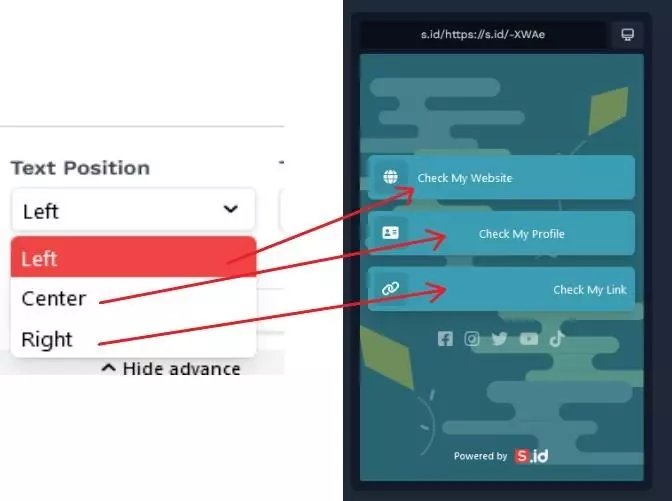
- **Text Position is **used to set the horizontal alignment of a text.
1. Right
2. Left
3. Center
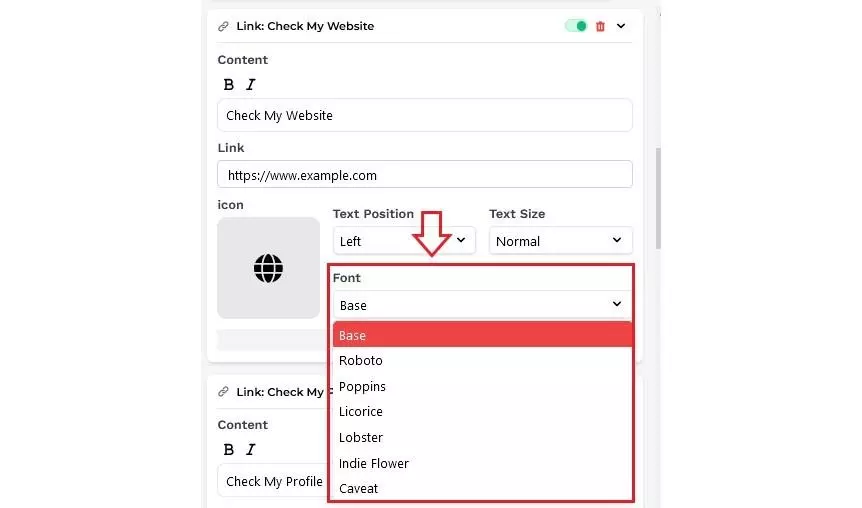
- **Font, **There are several options of font types that you can choose from.
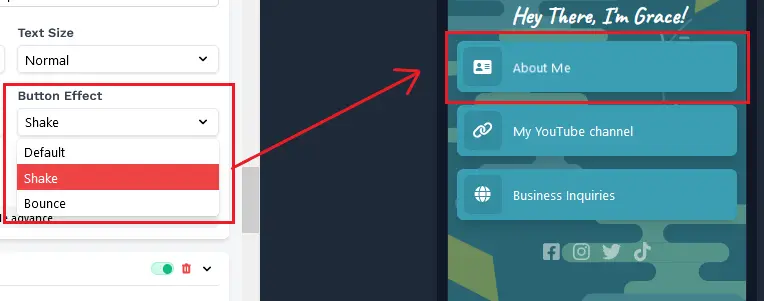
- Button Effect, select the animation effect for the button you choose.
- Button Color, change the color of the button you choose.