
How to Create a WhatsApp Link Easily and Quickly
Have you ever wanted to share your WhatsApp number without asking someone to save your contact first? With a WhatsApp link, you can make it easier for anyone to start a conversation with you in just one click.
This feature is especially useful for online businesses, service providers, content creators, or anyone who wants to communicate more conveniently with customers and audiences.
Even better, you can customize your WhatsApp link to make it shorter, more memorable, and more professional.
Let's explore how to create a WhatsApp link in just a few simple steps!
1. How to Create a WhatsApp Link Using wa.me
WhatsApp offers a feature called Click to Chat, which allows people to start a conversation with you without saving your phone number.
To create a WhatsApp link, simply use the following format:
Here's how the format works:
- wa.me/ is WhatsApp's official link format for starting conversations.
- 62 is Indonesia's country code.
- 812345678 is an example phone number without the leading zero.
For example, if your WhatsApp number is 0812345678, remove the first zero and replace it with Indonesia's country code (62).
Your WhatsApp link will look like this:
Make sure you enter your complete WhatsApp number without the plus sign (+), spaces, or hyphens.
Once your link is ready, you can share it on social media, websites, or other digital platforms. When someone clicks the link, they will be directed to a WhatsApp conversation with your number.
2. Make Your WhatsApp Link Shorter and More Attractive with s.id
Although WhatsApp's wa.me format is convenient, the link still contains a series of numbers that may be difficult to remember.
If you want your WhatsApp link to look cleaner, more personalized, and more professional, you can use s.id.
s.id is a link-shortening platform that allows you to turn long URLs into shorter links and customize them with your preferred name.
For example, instead of sharing:
You can transform it into something more memorable, such as:
Or:
A customized WhatsApp link looks more professional and makes it easier for customers and audiences to recognize and remember your contact information.
3. Step-by-Step Guide to Creating a Custom WhatsApp Link with s.id
Want to create a WhatsApp link with your own name? Follow these simple steps.
Step 1: Sign Up or Log In to s.id
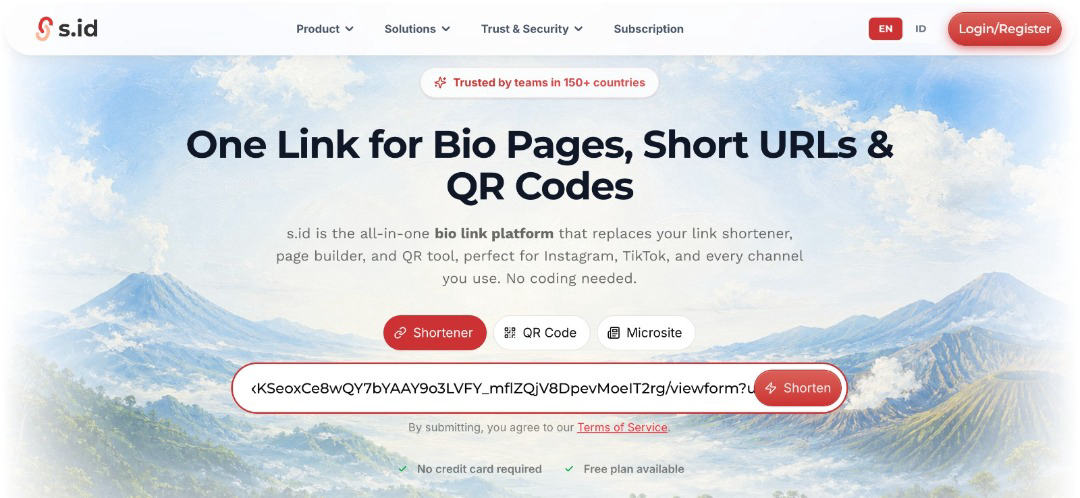
First, visit s.id using your browser.
If you already have an account, simply log in. If you're new to s.id, create an account to get started.
Step 2: Open the Links Menu
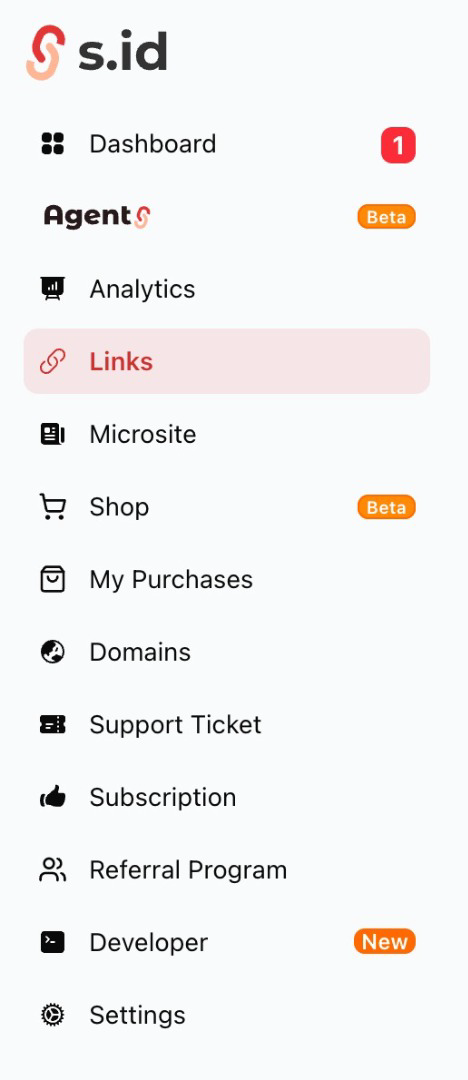
Once you're logged in, go to your s.id dashboard and select the Links menu to create a new shortened link.
Step 3: Paste Your WhatsApp Link
Enter the WhatsApp link you created earlier, for example:
Then, click Shorten to generate a shorter version of your link automatically.
Step 4: Click Details and Edit Your Link
After your shortened link has been created, find it in your list of links.
Click Details, then select Edit to customize the link.
Step 5: Customize Your Link Name
Now, you can replace the automatically generated link name with something more personal, memorable, or relevant to your brand.
For example:
Choose a name that represents your personal identity or business. Make sure your preferred link name is available and complies with s.id's guidelines.
Step 6: Save and Share Your WhatsApp Link
Once you're happy with your customized link, click Save to apply the changes.
That's it! Your WhatsApp link is now shorter, cleaner, and easier to remember.
You can share your customized link on your Instagram bio, TikTok profile, website, digital business card, or promotional materials.
4. Why Should You Customize Your WhatsApp Link?
Creating a WhatsApp link with a personalized name offers several advantages:
- A more professional appearance: A customized link looks cleaner and more polished than a URL containing a long string of numbers.
- Easier to remember: Customers can recognize and remember a link that includes your name or brand.
- A stronger personal identity: You can customize your link to match your business, personal brand, or marketing campaign.
- Easy to share: Short links are convenient for social media bios, websites, digital promotions, and everyday communication.
Conclusion
Creating a WhatsApp link is simple. All you need to do is use the wa.me/628 format, followed by your WhatsApp number without the leading zero.
However, if you want your link to look more attractive and professional, s.id makes it easy to customize your WhatsApp link with a unique name.
Instead of sharing a standard link like wa.me/62812345678, you can create something more memorable, such as s.id/whatsapp-saidi.
A shorter, personalized link can make your digital presence look more polished while helping people connect with you more easily.
Ready to create your own customized WhatsApp link? Visit s.id and make your WhatsApp link shorter, smarter, and more memorable!