
How to Create an Online Wedding Invitation Link Easily and for Free
A wedding is one of the most memorable moments in life, and sharing that special day with family, friends, and loved ones makes it even more meaningful. One important part of wedding preparation is creating and sending invitations to your guests.
Thanks to digital technology, wedding invitations no longer have to be printed and delivered individually. Today, you can create an online wedding invitation that is more convenient, easy to share, and accessible anytime through a smartphone.
With an online invitation, your guests can easily find all the important details about your wedding, including the couple's names, wedding date, ceremony time, venue location, and other essential information. Everything can be accessed through a single link.
Even better, you can create your own online wedding invitation for free using s.id.
Wondering how? Let's explore the simple steps to create a beautiful digital wedding invitation!
Why Are Online Wedding Invitations Becoming More Popular?
Online wedding invitations have become a popular choice for couples planning their special day. Besides making the invitation process easier, digital invitations offer several advantages.
Here are some reasons why you should consider using an online wedding invitation:
- More convenient: No need to print and physically deliver invitations to every guest.
- Easy to share: Simply send your invitation link through WhatsApp, Instagram, or other social media platforms.
- Complete event information: Guests can access the wedding date, time, location, and other important details in one place.
- Cost-effective: Reduce printing and delivery expenses by switching to digital invitations.
- Attractive and personalized: Add your favorite couple photos, photo galleries, and a design that matches your wedding theme.
With these benefits, online invitations are a practical solution for making wedding preparations easier and more efficient.
Create a Free Online Wedding Invitation with s.id
Want to create your own wedding invitation without needing design or coding skills?
You can easily do it using the Microsite feature from s.id.
s.id is a digital platform that offers various tools, including a microsite builder that allows users to create attractive digital pages using ready-made templates.
One of the available templates is Wedding Invitation, specifically designed to help you create a personalized online wedding invitation.
With this template, you can customize the couple's names, invitation messages, wedding date and time, and photo gallery to make your invitation truly special.
The best part? You can get started for free!
How to Create an Online Wedding Invitation Link Using s.id
Creating a wedding invitation with s.id is simple and doesn't require any technical experience.
Just follow these steps:
Step 1: Visit the s.id Website
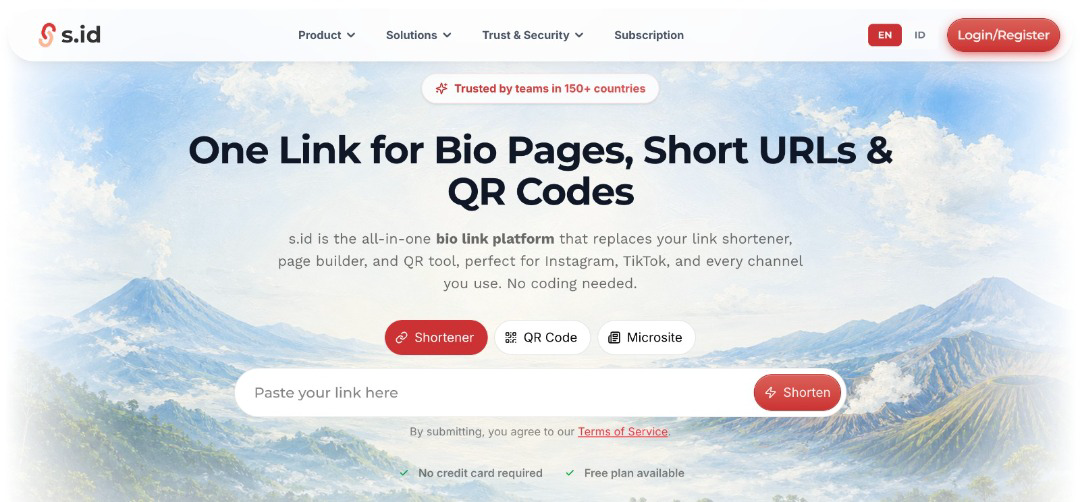
First, open your preferred browser on your smartphone or computer and visit the official website at https://s.id/.
Once the homepage appears, you can get started by creating an account or logging in.
Step 2: Sign Up or Log In to Your s.id Account
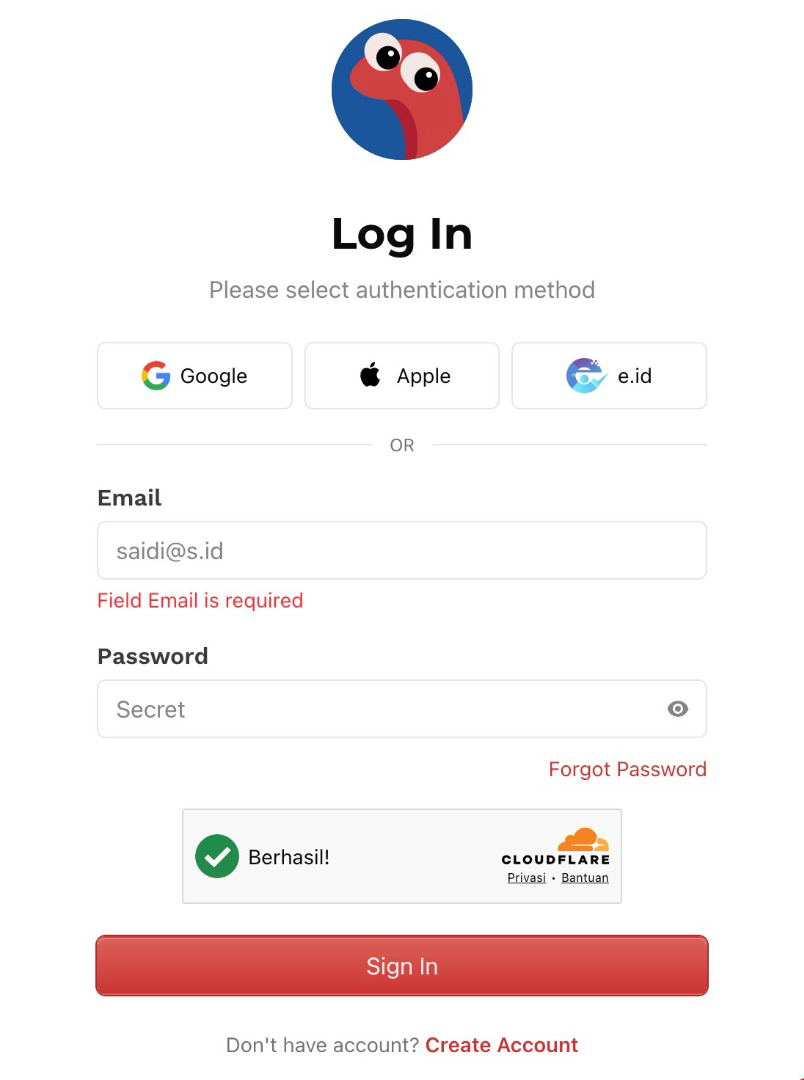
If you're new to s.id, register for a free account.
If you already have an account, simply log in using your existing credentials.
After successfully logging in, you'll be redirected to your s.id dashboard.
Step 3: Open the Microsite Menu
From your dashboard, find and select the Microsite menu.
This feature allows you to create digital pages using various templates designed for different purposes, including wedding invitations.
Step 4: Click Create New
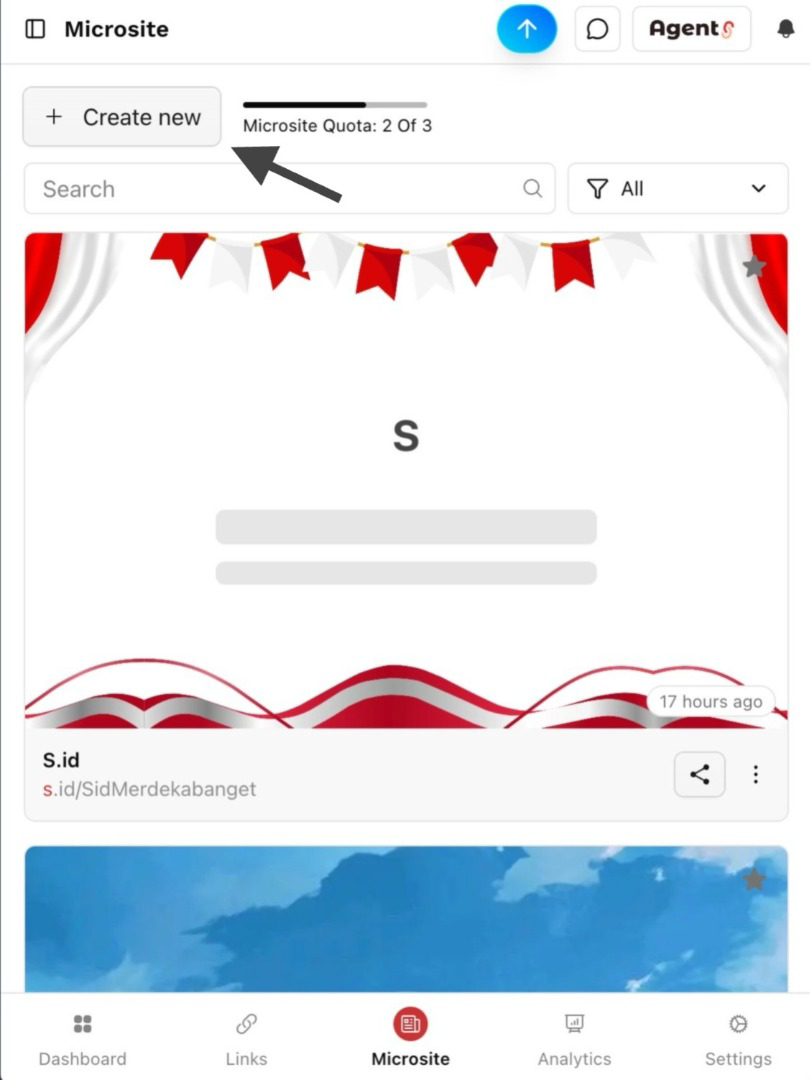
Once you're on the Microsite page, click the Create New button to start creating a new microsite.
You'll then see a collection of available templates.
Step 5: Select the Event Category and Wedding Invitation Template
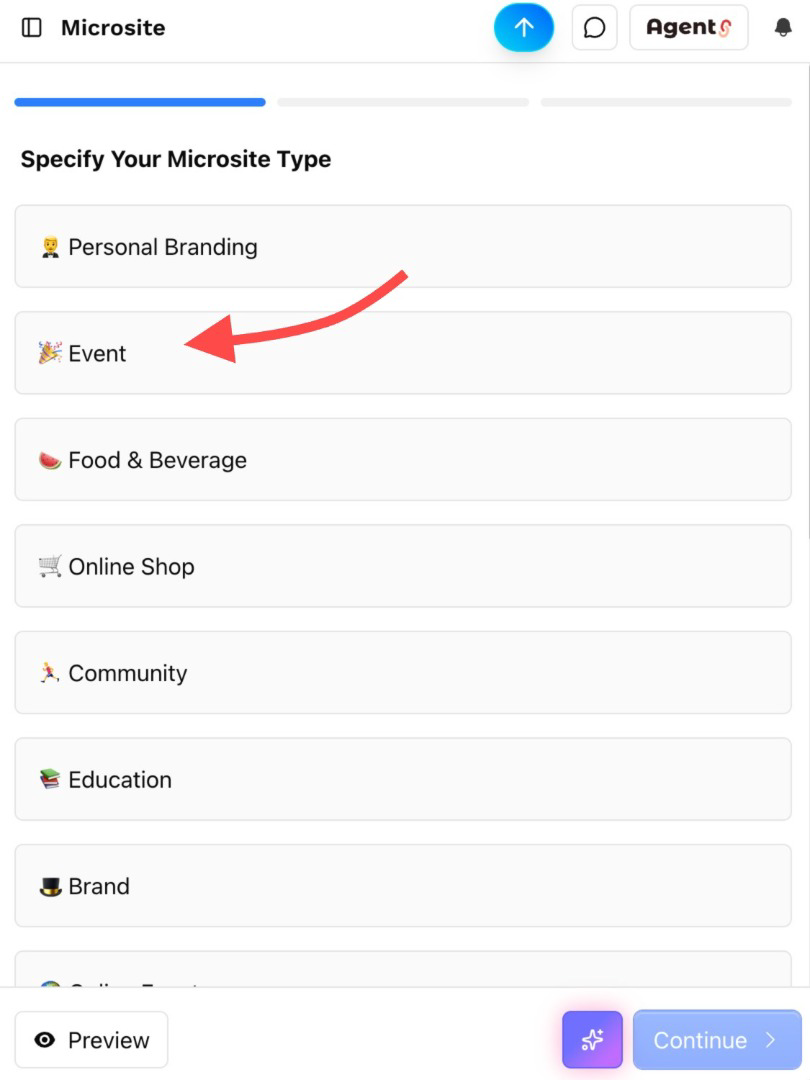
On the template selection page, look for the Event category.
Scroll down until you find the template called Wedding Invitation.
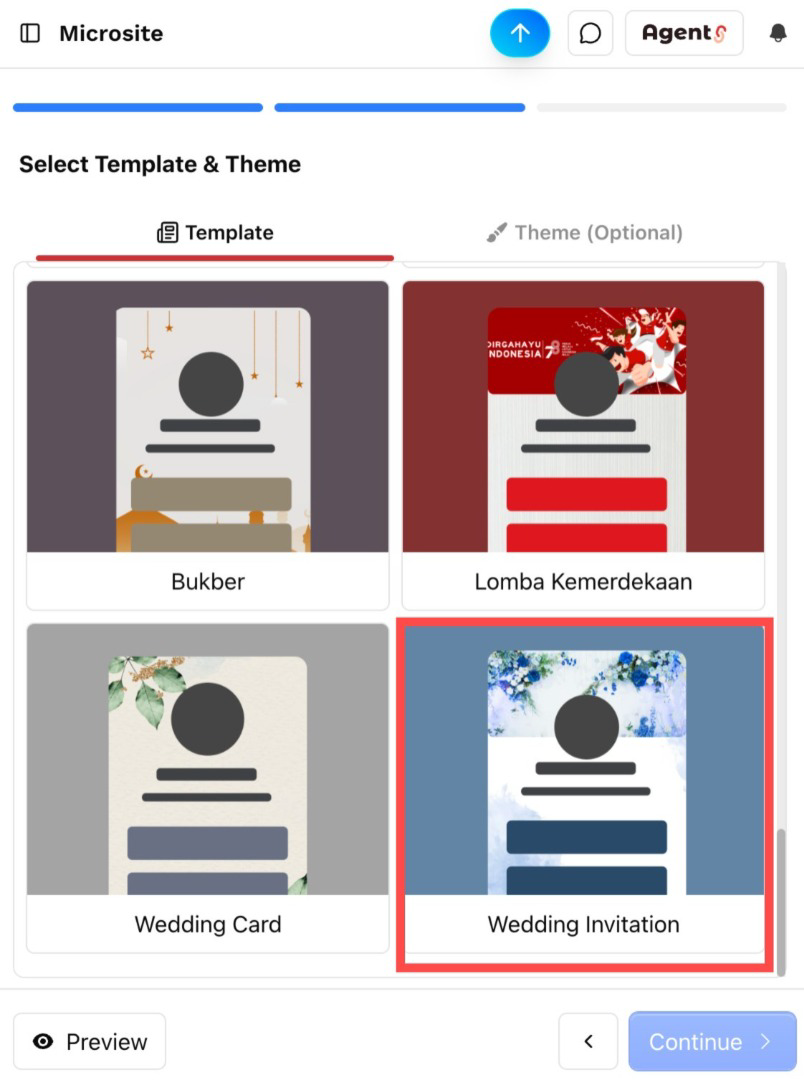
Select this template to start creating your wedding invitation using the ready-made design provided by s.id.
Step 6: Create Your Microsite Name and Invitation Link
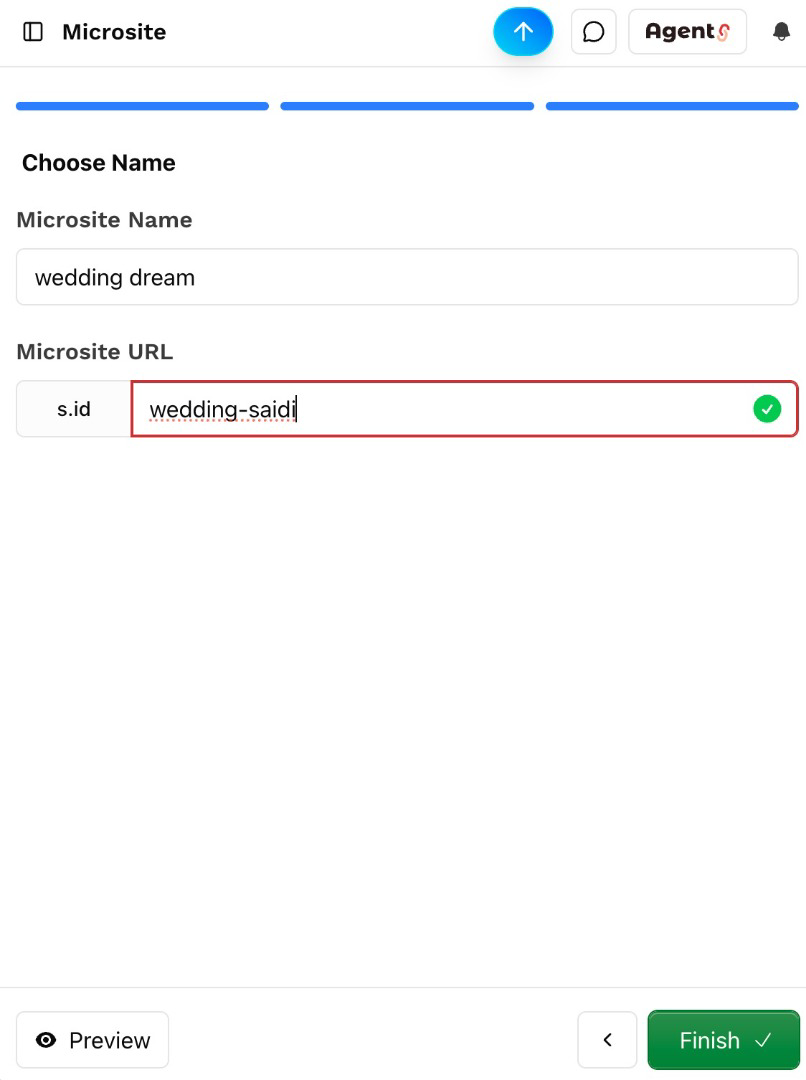
After selecting the template, you'll be asked to enter a microsite name and customize your invitation link.
For example:
Microsite Name: Wedding Dream
Invitation Link: s.id/wedding-saidi
Choose a link name that is simple, memorable, and meaningful to you. Make sure your preferred link is still available.
Once you've entered the details, continue to create your microsite.
Step 7: Customize Your Wedding Invitation
Congratulations! You've successfully created your microsite using the Wedding Invitation template from s.id.
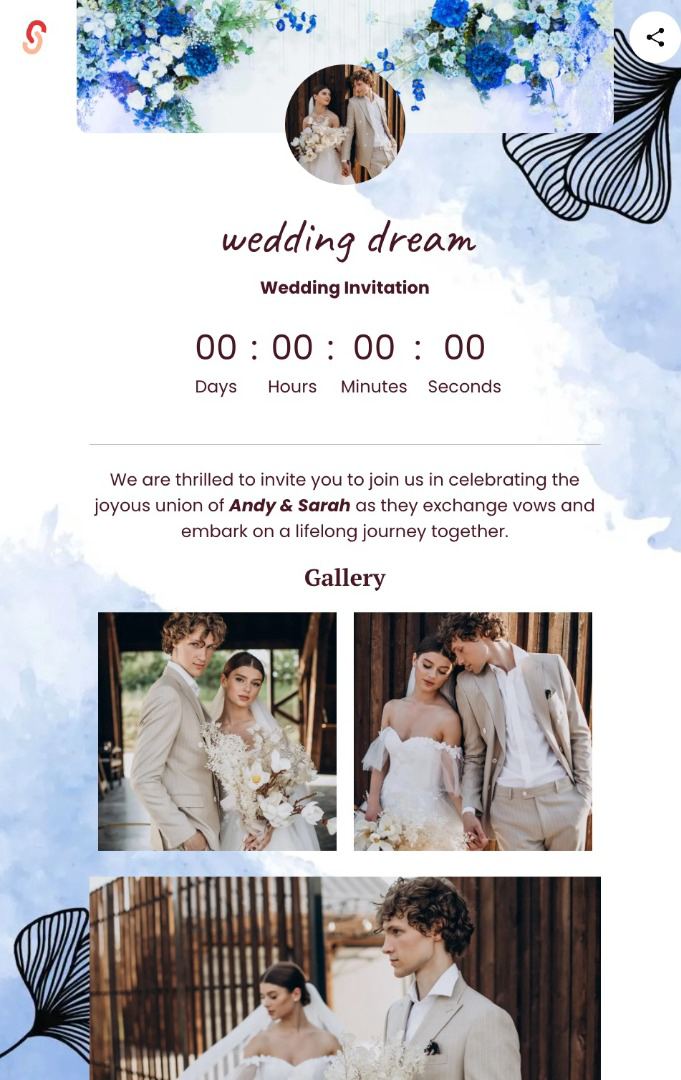
Now it's time to personalize your invitation to match your wedding celebration.
Here are some elements you can customize:
- Couple's Names: Add the names of the bride and groom.
- Invitation Message: Write a warm welcome message or a special note for your guests.
- Wedding Date and Time: Include the ceremony and reception schedule so guests know exactly when the celebration will take place.
- Photo Gallery: Upload your favorite couple photos to make the invitation more personal and memorable.
Once you've finished customizing your invitation, save your changes and preview the page to make sure all the information is correct.
Step 8: Share Your Online Wedding Invitation Link
After completing your invitation, you're ready to share it with your family, friends, and loved ones.
Simply copy your microsite link, such as:
You can share it through WhatsApp, Instagram, email, or other digital platforms.
Your guests can then open the link to view all the important details about your wedding in one convenient place.
Tips for Creating an Attractive Online Wedding Invitation
To make your online wedding invitation more beautiful and engaging, consider these simple tips.
1. Choose High-Quality Photos
Use clear and beautiful photos of you and your partner to create a more personal and elegant invitation.
2. Provide Complete Wedding Details
Make sure your invitation clearly includes the wedding date, time, and venue so guests can easily plan their attendance.
3. Write a Meaningful Invitation Message
Choose words that reflect your personality as a couple. Whether romantic, formal, or simple, a thoughtful message can make your invitation feel more special.
4. Use a Short and Memorable Link
A personalized link like s.id/wedding-saidi is easier to remember and more convenient to share with your guests.
Conclusion
Creating an online wedding invitation doesn't have to be complicated or expensive.
With digital technology, you can design a beautiful, practical, and easily accessible wedding invitation without printing physical cards.
Using the s.id Microsite feature, you can create your own wedding invitation for free with the ready-made Wedding Invitation template.
Simply choose your template, create your microsite name, customize your wedding details, add your favorite photos, and share the invitation link with your loved ones.
It's that simple!
Ready to create your dream wedding invitation?
Visit s.id today and make your special day even more memorable with a personalized online wedding invitation!